

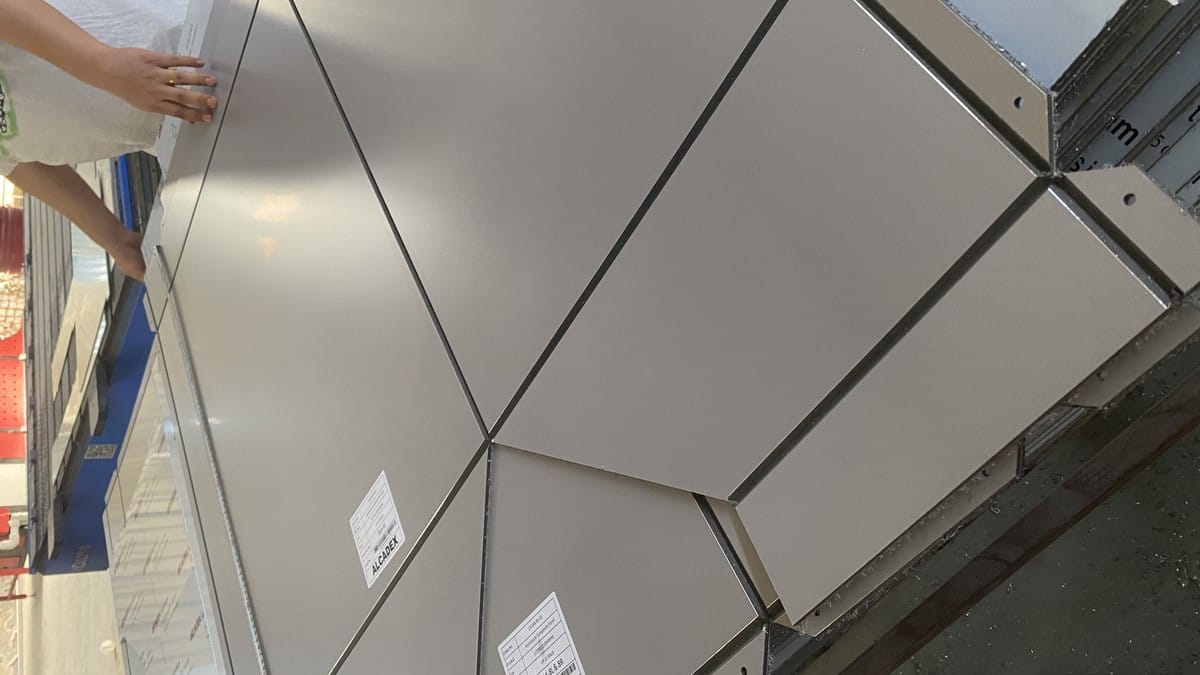
17 Aug ACP Technical Submittals: Documents and Samples
An ACP technical submittal is a controlled package that shows exactly how a proposed aluminum composite panel matches the project specification. It should connect the quoted panel construction to product data, finish samples, applicable test documents, fabrication information, and a clear revision record. A folder full of unrelated brochures is not a complete submittal.
For buyers, consultants, fabricators, and contractors, the purpose is practical: identify disagreements before material is approved, produced, cut, packed, or installed. The package should make it possible to answer five questions without guesswork: What panel is proposed? Where will it be used? Which documents apply to that exact construction? What still requires approval? Which revision is current?
What Should an ACP Technical Submittal Include?
The contents depend on project scope. A supply-only package may focus on the panel specification, finish, sample, and supporting documents. A package that includes fabricated cassettes may also need panel schedules, cutting drawings, groove and return dimensions, identification labels, and packing references. If the supplier is not designing the support system, the submittal should say so clearly.
Use a cover sheet or document register to identify every file, revision, and status. Each item should refer to the proposed product rather than a generic family. If alternatives are offered, present each alternative separately so the reviewer cannot accidentally approve a mixture of specifications.
| Submittal Item | What It Should Confirm | Buyer Check |
|---|---|---|
| Cover sheet and document register | Project, package, supplier, issue date, revision, and included files | Confirm that superseded files are clearly marked |
| Product data sheet | Panel type, total thickness, aluminum skins, core, coating, dimensions, and intended use | Compare every value with the specification and quotation |
| Finish schedule and sample | Color, gloss, texture, direction, product code, and approval reference | Record the signed sample and viewing conditions |
| Test or classification documents | The tested construction, method, result, laboratory, date, and scope | Verify that the document applies to the proposed panel and project requirement |
| Fabrication or shop drawings | Panel marks, dimensions, joints, returns, holes, grooves, direction, and revisions | Confirm who owns design, engineering, and field verification |
| Packaging and identification plan | Part labels, bundle sequence, protective film, packing method, and traceability | Make sure site teams can identify panels without unpacking everything |
| Clarifications and deviations | Any difference from the specification, drawing, tender, or previous revision | Require explicit acceptance; do not hide deviations in attachments |
Start with One Written Panel Specification
The most reliable submittals begin with a single schedule that identifies the proposed panel construction. Avoid terms such as “standard ACP,” “exterior grade,” or “fireproof panel” without measurable details. The same commercial name can be used for more than one thickness, skin, core, or coating option, so the technical values must control the review.
At minimum, record the total panel thickness, nominal aluminum skin thickness, core type or required classification, coating system, finish code, gloss or texture where relevant, width, length, quantity, intended application, and any fabrication scope. State whether dimensions are nominal or subject to an agreed tolerance. Where a specific test basis is required, write the method and required result rather than relying on an informal description.
The quotation, data sheet, sample label, order confirmation, and drawings must all describe the same product. A common failure is to approve a color sample for one panel family while the quotation or test document refers to another. A simple cross-check matrix prevents this.
Define Roles Before Documents Are Reviewed
An ACP package often crosses several scopes: panel manufacturer, coating supplier, fabricator, façade consultant, structural engineer, main contractor, installer, and approving authority. The submittal should state which organization is responsible for each deliverable.
The panel supplier can confirm the proposed panel construction and provide the available product documentation. The fabricator can confirm how approved sheets will be cut, grooved, folded, labeled, and packed within the agreed scope. The façade designer or engineer should determine the support spacing, wind loads, anchors, brackets, movement joints, and system performance. The installer should verify field conditions, access, interfaces, and installation sequence.
Do not allow a product data sheet to be interpreted as a complete façade-system design. Likewise, a panel-level test does not automatically represent a wall assembly containing rails, insulation, cavity barriers, membranes, fasteners, sealants, and joints. Make scope boundaries visible on the cover sheet and in the drawing notes.
How to Review Product Data Without Missing a Mismatch
Review product data line by line against the project schedule. Start with identity: manufacturer, product name or code, plant where relevant, and proposed use. Then compare construction: total thickness, each aluminum skin, core description, coating, and dimensions. Finally, compare supporting requirements such as fire documentation, finish durability, fabrication, tolerance, packaging, and warranty conditions.
Use three review statuses: match, clarification required, and deviation. “Not stated” should never be treated as a match. If a value is missing, request it in writing. If a supplier proposes an alternative, record the exact difference and its effect on price, lead time, appearance, testing, fabrication, and warranty.
| Cross-Check Field | Specification | Quotation | Sample / Document | Status |
|---|---|---|---|---|
| Panel and application | Required use | Proposed model | Matching identity | Match / clarify / deviate |
| Total and skin thickness | Required values | Quoted values | Data sheet values | Match / clarify / deviate |
| Core and fire requirement | Method and result | Proposed core | Applicable evidence | Match / clarify / deviate |
| Coating and finish | System and appearance | Quoted finish code | Signed sample | Match / clarify / deviate |
| Dimensions and fabrication | Schedule and tolerances | Included scope | Approved drawings | Match / clarify / deviate |
Samples: Approve More Than a Color Name
A digital image is useful for shortlisting, but it should not become the final color standard. Screens, cameras, compression, and ambient light alter appearance. Request a physical sample in the proposed coating, color, gloss, and texture. For directional finishes such as wood, stone, brushed, or linear patterns, mark the direction on both the sample and drawings.
Give the approved sample a unique reference, date, and signatures or documented approval. Keep one control sample with the buyer or consultant and one with the supplier when practical. The record should state whether the approval covers color only or also gloss, texture, pattern scale, panel construction, and edge appearance.
A small chip cannot answer every question. A larger panel sample can show flatness, surface quality, protective film, edge construction, and fabrication response. A project mock-up can show module size, joint width, corner details, sealant, viewing distance, and the interaction between adjacent panels. Do not describe these three items as interchangeable.
Test Reports, Classifications, and Certificates Are Not the Same
Review the title and scope of each supporting document before adding it to the submittal. A test report records a tested specimen, test method, observations, and results. A classification document may place a product or system into a defined class based on stated rules. A certificate may confirm a specific certification scheme, surveillance arrangement, or product scope. Project approval is a separate decision by the responsible authority or reviewer.
For each document, compare the manufacturer or applicant, product designation, panel construction, thickness, core, aluminum skins, coating or assembly description where relevant, test method, result, laboratory, issue date, and limitations. If the proposed product differs from the tested specimen, do not assume equivalence. Ask the project’s qualified reviewer whether additional evidence or assessment is required.
Avoid three common wording errors:
- Do not call a material “approved” merely because a report exists.
- Do not call a panel test a complete façade-system test unless the reported specimen is the complete system.
- Do not replace the project’s specified method or classification with a different one without written acceptance.
Alcadex makes product literature and available supporting files accessible through its Technical Center. Buyers should still confirm that the selected file applies to the exact proposed panel and current project requirement.
Shop Drawings and Fabrication Information
When fabricated panels are included, drawings translate the approved design into identifiable parts. The drawing set should show elevations or panel layouts, unique panel marks, quantities, finished dimensions, joint widths, returns, folds, V-grooves, cutouts, holes, slots, corner treatments, finish direction, visible-face orientation, and relevant tolerances. Add a revision cloud or other clear mark for every change.
Drawings should also distinguish factory work from field work. If site dimensions must be verified before production, state who verifies them and the release deadline. If brackets, stiffeners, rails, anchors, sealants, or other system components are by others, mark the boundary. Never let a fabrication drawing imply engineering responsibility that the fabricator has not accepted.
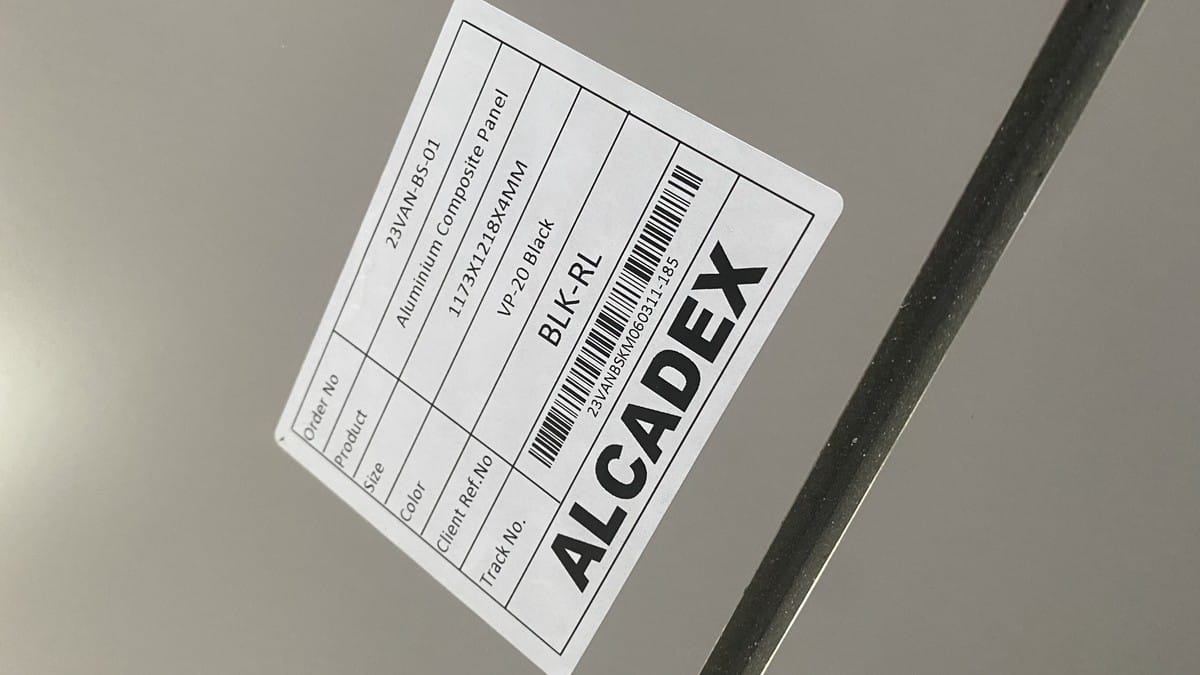
Part labels should connect drawings, manufactured parts, bundle lists, and installation zones. Labels are especially useful where panels look similar but differ in size, orientation, cutout, or floor location.
Control Revisions Before Production Release
Submittal errors often come from version control rather than product knowledge. One team reviews Revision B, another prices Revision C, and production receives an unmarked PDF exported between them. A controlled register prevents that chain.
Give each issue a revision, date, purpose, and status. Record reviewer comments against the exact revision. When a new issue is created, list what changed and withdraw the previous issue from active use. Separate “approved,” “approved as noted,” “revise and resubmit,” and “for information” because they do not authorize the same action.
Before production release, the responsible buyer should confirm the final approved construction, finish sample, quantity, dimensions, drawing revision, packaging, delivery destination, and commercial change status. Release only the items that are ready; unresolved assumptions should remain visible.
| Release Gate | Evidence to Record | Stop If |
|---|---|---|
| Product | Approved construction and intended use | Any thickness, skin, core, or coating remains unstated |
| Appearance | Signed sample reference and direction | Approval relies only on a screen image or color name |
| Documents | Applicable reports and reviewer acceptance | Evidence describes a different product or unresolved requirement |
| Fabrication | Approved drawing revision and verified dimensions | Field dimensions, interfaces, or design responsibility are unclear |
| Commercial release | Final quantity, price impact, packing, Incoterm, and delivery instruction | Technical changes are not reflected in the order |
A Practical Submission Workflow
- Freeze the review basis. Collect the current specification, finish schedule, drawings, bill of quantities, and clarification log.
- Prepare a compliance matrix. Map every requirement to the proposed value, supporting file, and status.
- Identify scope and responsibility. Separate panel supply, fabrication, system design, engineering, installation, and authority approval.
- Build the document register. Give each attachment a title, document number, revision, and date.
- Submit physical references. Label samples and mock-ups so they cannot be confused with an unapproved option.
- Resolve comments in writing. Answer each comment, show the resulting change, and issue a new controlled revision.
- Run the release checklist. Cross-check the final technical package against the commercial order before production.
- Keep the approved record. Store the final register, signed sample reference, drawings, and release confirmation for receiving inspection and future claims.
Receiving teams should use the same identifiers after delivery. The guide to ACP receiving inspection explains how buyers can check labels, packaging, quantity, dimensions, surface condition, and records before accepting material.
Common ACP Submittal Mistakes
Submitting a generic brochure
A family brochure may list several cores, skins, finishes, and sizes. Highlighting none of them leaves the reviewer unable to identify the proposed construction. Add a project-specific data sheet or compliance matrix.
Using inconsistent product descriptions
If the quotation states one skin thickness, the data sheet another, and the drawing only says “4 mm ACP,” the package is not coordinated. Resolve the difference before approval.
Treating a test report as a universal claim
Every report has a specimen and scope. Compare it with the proposal and the required method. If they differ, flag the issue for qualified review.
Approving finish from a digital image
Digital images are affected by display and lighting. Use a labeled physical sample, and clarify whether approval covers color, gloss, texture, and direction.
Releasing fabrication from an old drawing
Put the approved revision on the purchase order and production release. Withdraw superseded files from shared folders and transmittals.
Questions to Send with an ACP Submittal Request
- What is the exact panel construction, including total thickness, each aluminum skin, core, and coating?
- Which product and finish codes will appear on the quotation, sample, order, label, and data sheet?
- Which test or classification documents apply to this exact proposal?
- Does the sample represent color only, or the complete proposed panel and finish?
- Who owns system design, structural calculations, shop drawings, field dimensions, and installation?
- Which drawing revision controls cutting and fabrication?
- How will fabricated parts be labeled, bundled, and linked to the panel schedule?
- Which deviations, exclusions, and unresolved clarifications remain?
Build a Submittal That Can Be Audited
A good ACP technical submittal is concise, specific, and traceable. It does not attempt to make every available document look relevant. Instead, it identifies the proposed panel, maps each requirement to evidence, separates product supply from system responsibility, records approvals, and preserves one current revision for production and receiving.
Review the available Alcadex aluminum composite panel options, then send the project specification, finish requirement, dimensions, quantity, application, and document list through the Alcadex contact page. The Alcadex team can help organize product data, samples, and quotation details around one clearly defined proposal.